The itch
It started with an annoyance
As so often happens, it started with a need, but it wasn't so much a need as an annoyance, like when a spot on your back just out of your finger's reach itches maddeningly. Summer's coming up, and I've been looking into summer camps for my daughter. Most documents I see now are online forms that need to be downloaded, filled out, and then emailed back to the establishment.
Beyond just that, though, I regularly work with contractors such as painters and plumbers, and the list goes on. If I'm lucky, I'll get a form that I can simply e-sign through a service such as Docusign or Pandadoc. Even more convenient than that, though, are proposals I receive through quickbooks. There's a nice shiny green button labeled "Approve". Those are my favorite documents to deal with. Most of the time, though, all I get is a PDF or docx even.
The options
Providers
There are many many providers I could choose from - Docusign, HelloSign, PandaDoc, and SignNow, just to name a few. Many of them do offer free tiers for what I care about most at this time, ad-hoc signing a document.
The starting flow is generally similar across the ones I sampled (Docusign and SignNow):
- Create a new account. This might be several steps including confirming phone number via SMS code in the case of Docusign, or as in SignNow I could SSO login via gmail.
- Click through the introductory flow.
- Upload document.
- Navigate through the very richly featured, some might say cluttered, UI to find the field I need to drag to the document.
- Click through a few more windows or rmodals.
- Download the signed document, but this might be an email that gets sent to me separately.
Local Apps
I prefer to work mostly from my laptop, though in most cases I probably could work from my phone if I really wanted to. There is no shortage of local apps that would work well for me also.
Macos Previewer is a nice option. It already ships with my laptop, and it's lightweight.
- Upload the PDF.
- Use the Annotation tool to add text, eg my signature.
- Save the file, or if I want to keep the original file unmodified, Save As a new filename.
- Send the signed PDF to the recipient.
The flow for Adobe Acrobat Reader is pretty similar, though I need to first download and install it, and it is a very heavyweight application. My laptop might be underpowered, but it felt like it took more than ten seconds to launch the first time after installation, and when I closed it, all of my other running apps closed. Farewell, contents of my browser tabs in incognito mode!
What I was doing
My Option, What I've Been Doing
I could use a local app, and I could take advantage of the free tier of some provider, but instead I've resorted to printing out the pages that need to be signed, initialed, or otherwise completed, doing what needs to be done, then using the Google Drive feature to scan them in and then finally send them out.
Talking to my friends, I've learned I'm not the only one that uses this tried and tried legacy method. I used to have to hunt around for a scanner or fight with the scanning feature of my inkjet printer to scan, but my wife told me she stopped using her handheld scanner because of the Google Drive scan feature. So yay, huge win at the time!
How many steps was it to print -> scan -> send?
- Download document
- Print pages
- Fill out pages
- Scan pages
- Email document to recipient
Five steps! That's a few more steps than I want to have to perform over and over and over and over, especially if all I needed to do was sign my name or simply acknowledge "Yes." Plus, there's the extra paper I printed out that now maybe I want to shred before recycling. At best I have no real use for most of those pages.
There's a reason why e-sign providers have been able to build successful businesses!
The build
Hello Claude Code!
I've wanted to build something useful with an AI agent for a while now. I just never had the right incentive until now. What I wanted to build was a browser-based application that would allow me to quickly and simply sign my documents and then send them off to the recipient. If you want to peek ahead at what was built, go to https://easypdfsigner.ebonykr.is. If you enjoy reading, then by all means continue.
The setup
First, my Specifics and Tech Stack
- All of the code was written via prompt through the Claude Code CLI.
- My plan was the Pro plan for $20/month ($17/month if paid annually).
- The LLM model was Sonnet 4.6.
- There was no predefined CLAUDE.md or any skill in use.
- The source code is stored in a Github repository.
- The application is hosted on Vercel, and merges to
mainbranch auto-deploy to production.
I've often been described as coding from the middle. I start with a problem I want to solve, work on solving that problem first, then continue my way both forwards and backwards to get to logical start and finish points. That's exactly what I did here, but having completely finished what I want to build, I've reached both the beginning and the end from the middle, and so I belatedly figured out the goals I wanted this application to fulfill.
The platform
Why Vercel?
Some people might be asking, "Why Vercel? Weren't they hacked recently?" Yes, in April, just last month, they published a bulletin about a security incident. I had just started to use Vercel and hadn't deployed anything to it yet, and I'm comfortable that any exfiltration predated me (I haven't been notified that I was affected) and that they addressed the vector plus inspected their infrastructure and product offerings to address any other potential entry points.
I certainly could have hosted this on any other provider or even as an S3 static website. There is no backend, no permanent storage, no fancy nuthins, but with a PAAS (Platform-As-A-Service) I get useful analytics out of the box, and there's something to be said for not needing to build and maintain infrastructure for small projects.
The goals and non-goals
Goals
- Quick and easy to open up a file for signing.
- Quick and easy to sign, initial, date, and complete any other type of required text field.
- Quick and easy to send the signed document to the recipient.
- No annoying account creation workflow (cicketty click click) to step through.
- Privacy-focused.
- No need to upload the document to a remote server.
- No need to waste time assigning a new name to a signed document.
- Application is easy on the eyes.
The first three goals all start with quick and easy. Everything else, to be honest, was a nice to have, but since I was already building, why not include all of the nice to haves as well?
Non-Goals
- Not trying to confirm identity.
- Not building Digital Transaction Management
Identifying what I wasn't trying to build definitely was important to focus the scope of my effort.
The original prototype took about two hours to get to a working condition. Two hours! There was no way I could build even the most basic version of the prototype in just two hours. Talk about a productivity multiplier! After that, all of my other time, about four more hours split up over the course of a few days, was spent futzing around with feature placement, user interface, and text. So, after about that almost-a-day of effort, here's the version of the web app that was built. I even had Claude Code build the logo and design system through prompts.
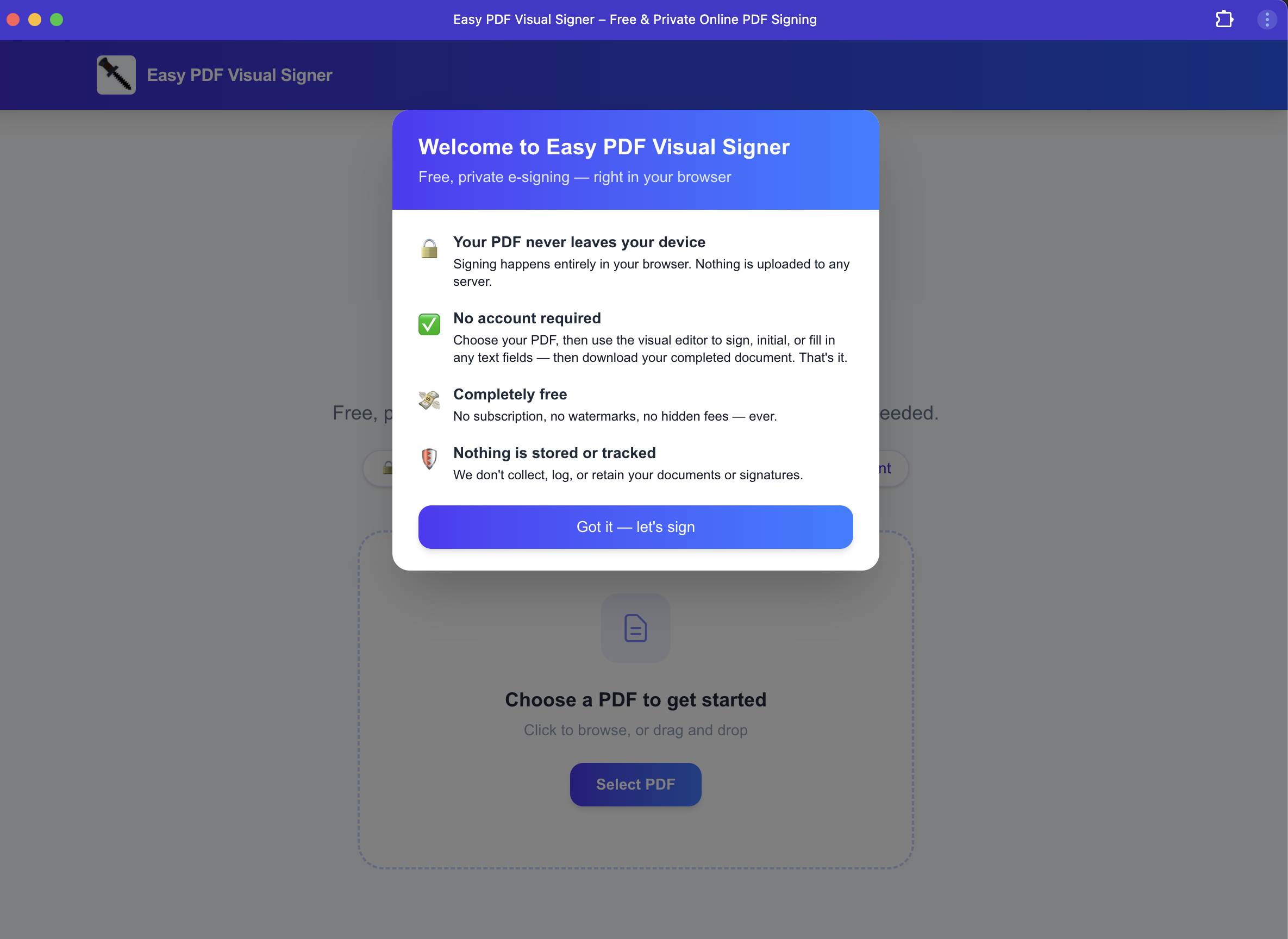 The landing page.
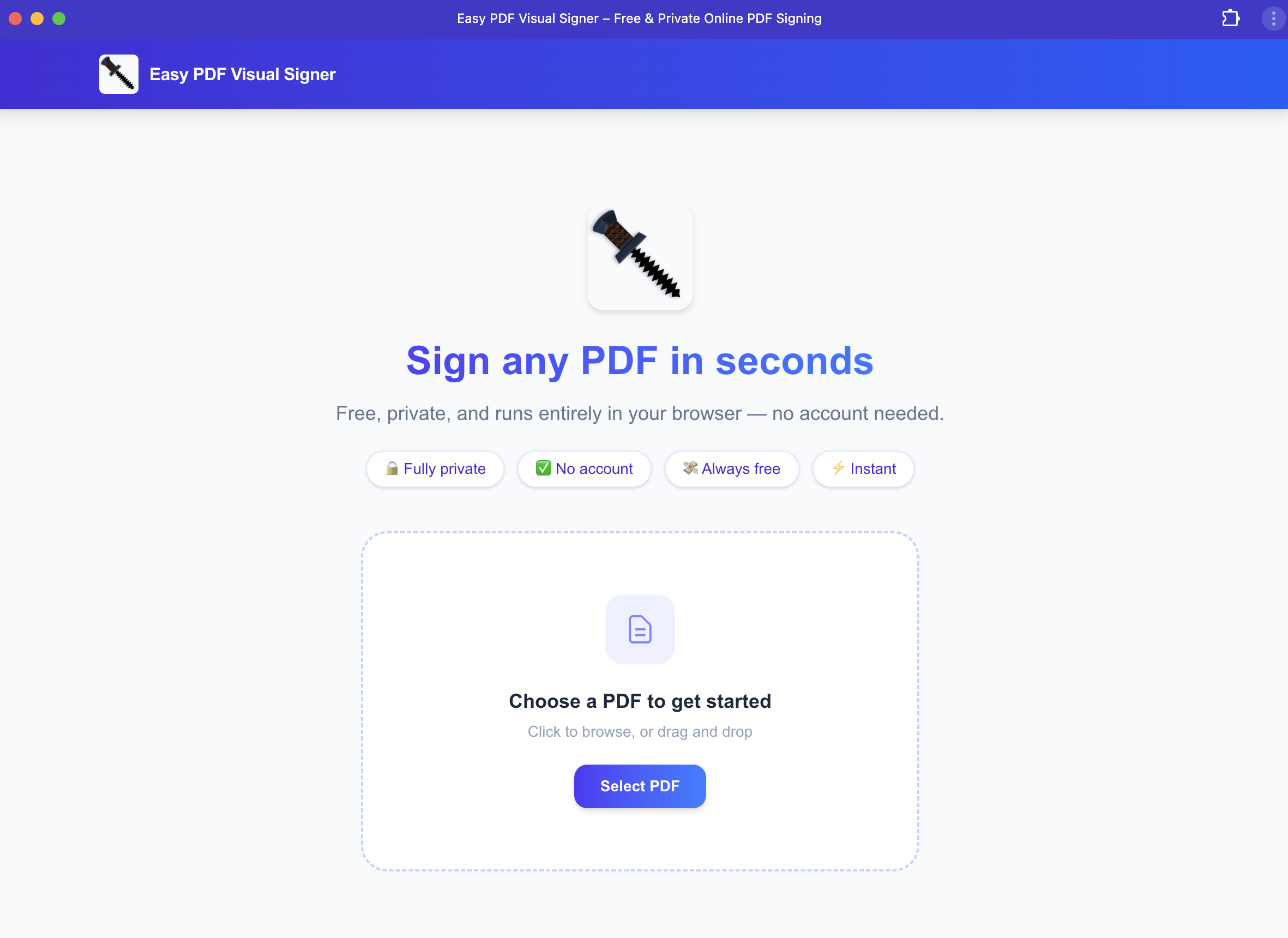 The PDF upload page.
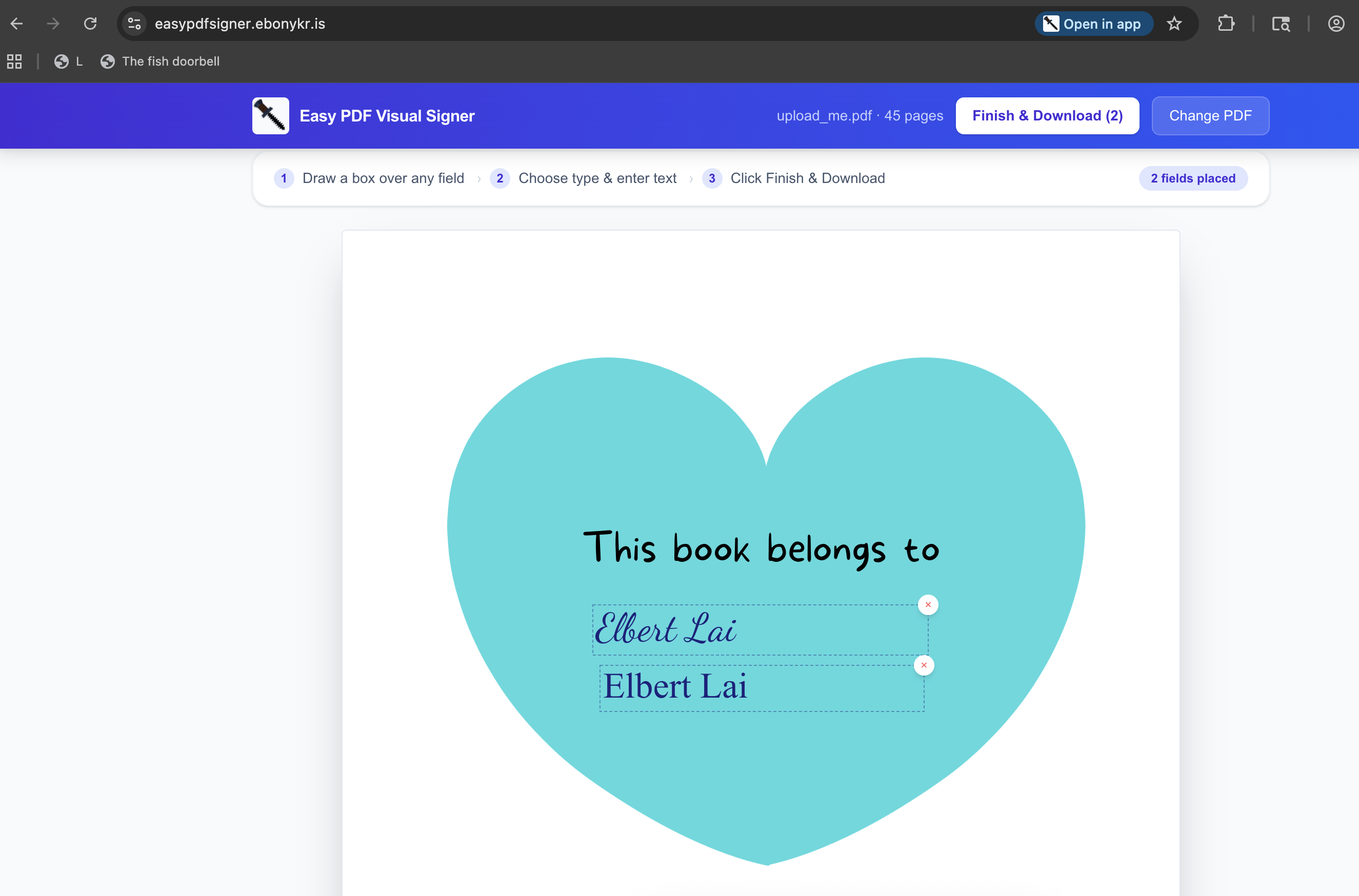 A signed PDF.
That was a pretty good result. Looking back, I have a few thoughts.
For example, it recommended that I support direct email from the app. However, doing so would require the document to be uploaded to a server, and that was in direct opposition to one of my requirements.
The redesign
Hello, Claude Design!
I was satisfied with the overall design of the app, but I wasn't happy with the logo. I thought about going to Midjourney or Dall-E 3. There's also Google's Nano Banana Pro. For now, though, I wanted to try out Claude Design. This new offering was released on April 17, 2026. See the announcement here.
I'm pretty sure I spent another eight hours spread out over a few days mostly on Claude Design, and that led to more changes through Claude Code. Since Claude Design uses the Opus 4.7 model, I quickly ran out of the allotment of tokens that the Pro plan allowed. If I recall correctly, I ran out on a Wednesday or Thursday, and the notification from Claude Design was that my allotment for it would refill on Sunday. Days later!! In this hyper-fast velocity world, that felt equivalent to a geologic age: Paleozoic -> Mesozoic -> Cenozoic -> WaitFerCDesignoic – to pass before I could finally resume, so I did what any sane person would do in this situation. I temporarily upgraded my plan to the Max level where I got 5X more usage than Pro.
One important point. The codebase was built before I built a design system through Claude Design, so I had to update all of the design elements to use it. Claude Design proposed a patch to apply the new design, but it failed miserably. I needed to invoke Claude Code to fix it and then to finally push the new design to the site.
Judge for yourself if the extra time, effort, and money spent on Claude Design was worth it.
Without further ado…
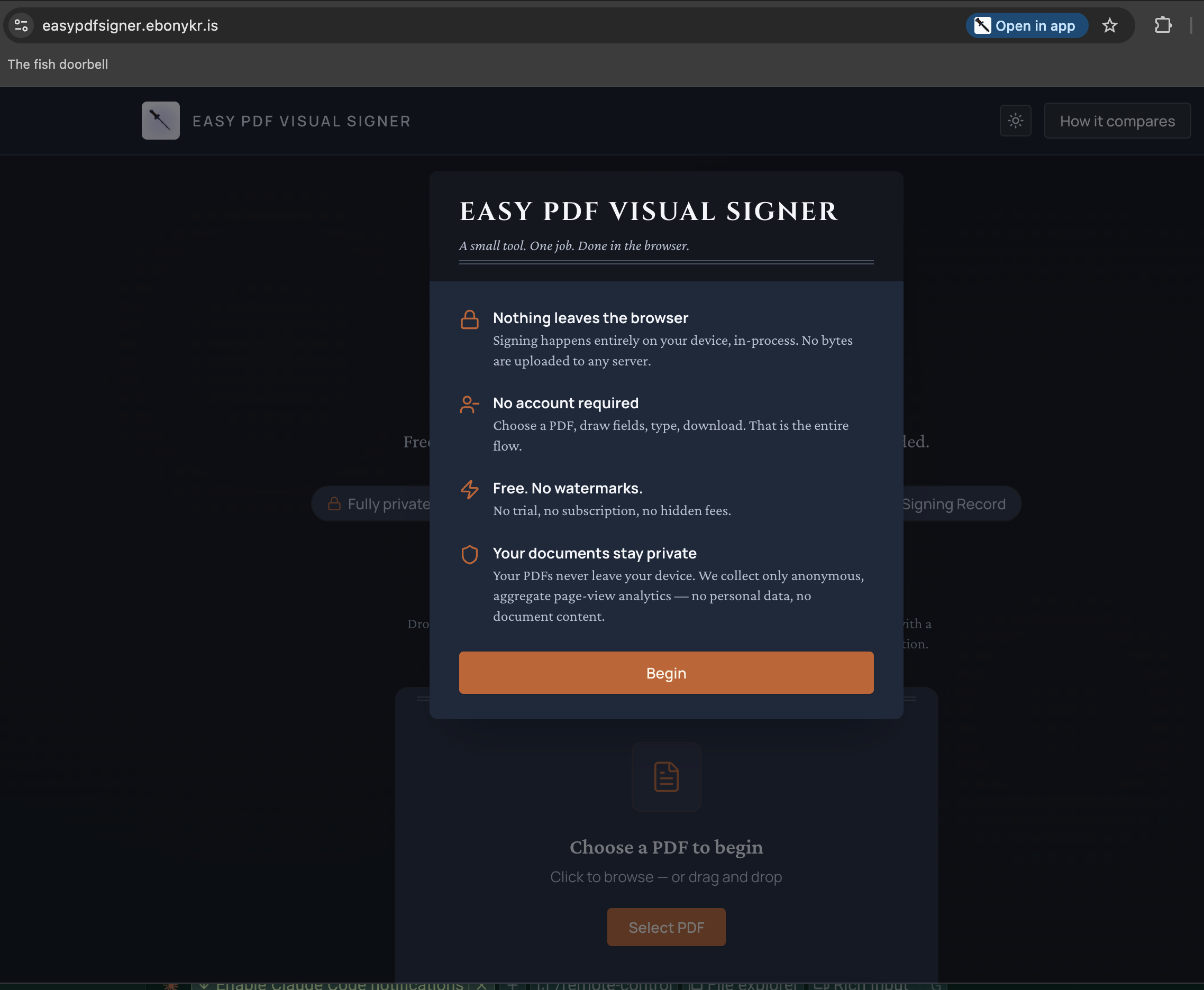 The final landing page, now with Dark mode!
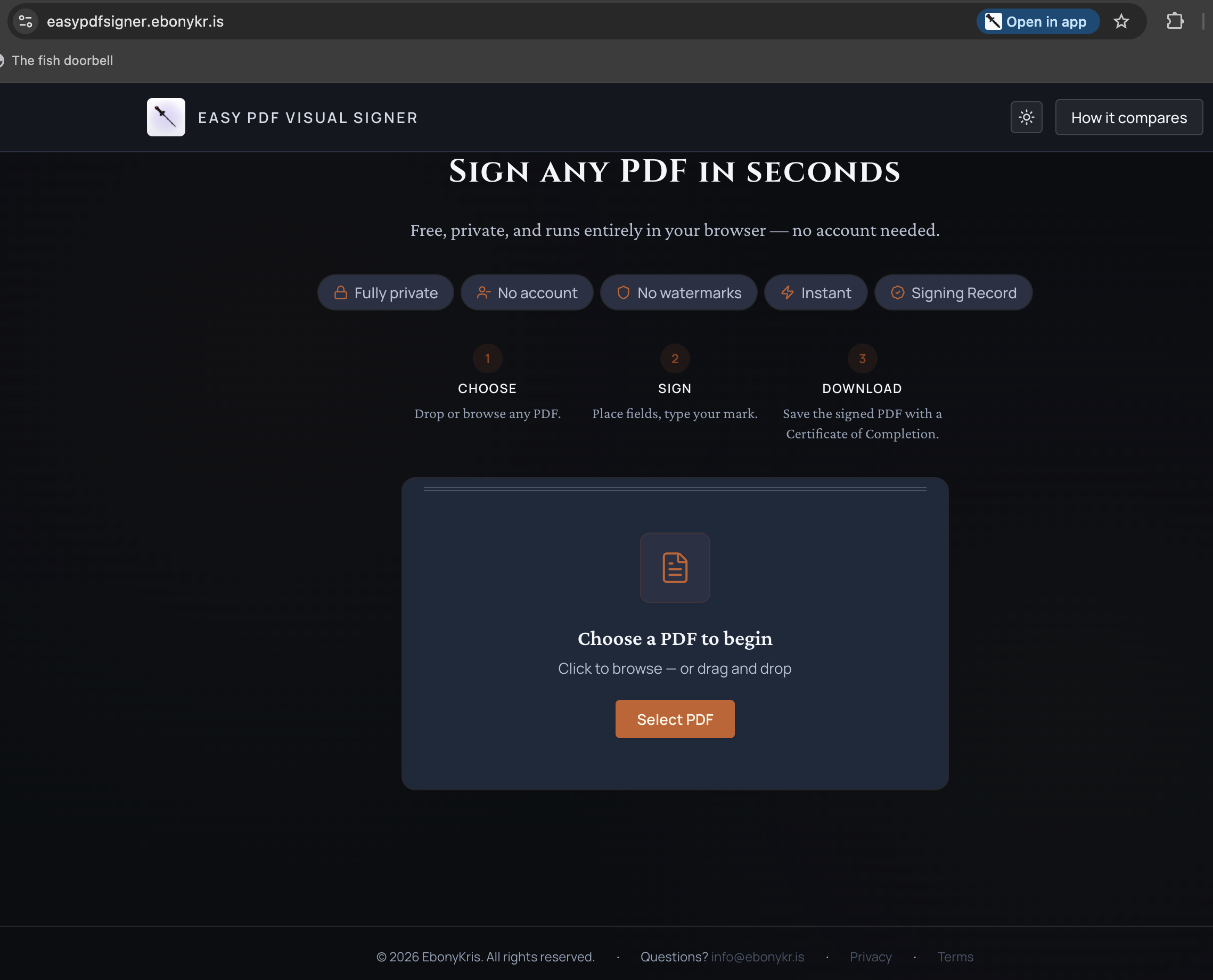 The final PDF upload page
The results
How well does EasyPdfSigner meet my requirements?
This is a loaded question because as I said earlier, I often code from the middle, and the list of requirements solidified as I built this app out, but here we go.
Once again, here's the list of requirements:
- Quick and easy to open up a file for signing.
- Quick and easy to sign, initial, date, and complete any other type of required text field.
- Quick and easy to send the signed document to the recipient.
- No account creation workflow (cicketty click click) to step through.
- Privacy-focused.
- No need to upload the document to a remote server.
- No need to waste time assigning a new name to a signed document.
- Application is easy on the eyes.
I can drag a file from any folder on my computer or click into the upload area to pull up my finder. Only PDF files can be selected in this case, a feature I had not explicitly requested, but it makes sense here.
I spent a while iterating through this area until I figured out a mechanism that I liked. For my needs, all I really think I need is a way to add a signature and print text such as a date or address. I'm pretty happy with the current method of tracing a rectangle similar to how I would capture a screenshot of a portion of the desktop, then selecting the style and contents of that box.
I've always hated the need to type in a name when saving and creating a new file. I understand the need, but most of the time I don't truly care what the name is. I just need something I can find later if I need to ever find it again. Saving the document (in the app the button says "Seal and Download") generates a new name based upon the old filename and downloads the file to the Downloads folder. OMG, I don't have to deal with dialog boxes that, though they might be pre-populated with a suggestion, I still have to deal with! This app simply writes a file named $ORIGINAL-FILENAME_signed_YYYYMMDDhhmmss.pdf. Yay!
I don't like creating new accounts any more than the next person, even if they are quick and easy SSO workflows and even if they are one time activities. Lots of times nowadays, I'm required to share a personal email or phone number to get all the way through, and now I've shared my private info for no good reason. For myself, I wanted to make sure there was no reason to tie data to an account, thus negating the need to have the concept of an account. From the beginning I envisioned that multiple people, not necessarily strangers on the interwebs, might use this tool if it matured to a good enough state, but you never know.
I think discarding the entire concept of an account could be considered privacy-focused. I don't know who you are, and I don't want to know. I also don't want you to be able to know who I am (speaking as a hypothetical user of EasyPdfSigner) or have any way to determine my identity. WIth no account concept and no backend saving any sort of data, I think this has been accomplished. The only piece of information tied to a user is the IP address and whatever can be inferred from the IP address, and that's only because of the analytics layer that I've enabled.
The more explicitly privacy-focused feature is the processing location. Everything happens on the user's computer. Documents are never uploaded to a remote server, so they can not be slyly stored anywhere else. Browsers are capable enough that all the code necessary to enable this workflow can run locally.
Could you hear the joy saturating these printed words as I crowed about not needing to step through a file naming and saving dialog?
I like to think that the time spent on Claude Design was worth it. I'm quite happy with the results, though this is completely subjective, and who doesn't like dark mode?
The takeaway
Takeaways
Claude Code is a fantastic tool and reduced the barrier to creation of EasyPdfSigner from something I would never find the time to build to something I could realistically build in a few hours, and with a far more appealing UI than I would ever build even with infinite time if left to my own resources.
I thought about the cost of this, and I even asked Claude Code what the token conversion to USD would have been as I wasn't tracking it at all throughout the project. It didn't give me a satisfying answer beyond roughly that all the tokens spent likely cost less than one hour of a contractor's time. Very unsatisfying response indeed. However, with the exception of Claude Design which I could consider wholly unnecessary, though very nice, I stayed within my Pro plan limits, and this isn't the only thing I'm doing with Claude Code, so I guess it cost me less than $17 prorated over the 12 hours I spent on it? Maybe?
Security
What about security?
Unsurprisingly, I employed Claude Code to identify any vulnerabilities, and it came up with a few suggestions that I implemented. I was mostly concerned about protecting the user, and those solutions are in place, but I wasn't too concerned about protecting the availability of the site. Once loaded, everything runs from the user's computer, so probably the biggest concern is DDOS attacks, and I'm not terribly concerned about that for this tool, at least at this time. I'm just not.
Final Thoughts
Final Thoughts
All in all, it was a very enjoyable project, and I will definitely create more tools for myself, and I will share them. EasyPdfSigner is available publicly. Check it out if you're curious, and you're more than welcome to use it as much as you like. Feedback is always welcome.